
9. Hardware Secondary Development Guide
This section describes the robot hardware interfaces available for secondary development. Interfaces not mentioned here do not support secondary development by default.
1. Power Supply Interface
Power is drawn from the MDU X25 port. The connector at the other end of the cable can be integrated according to your interface requirements.
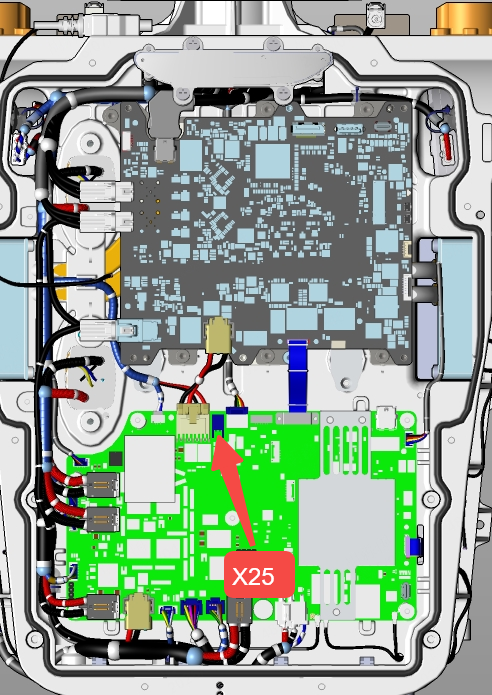
1.1 Pin Definition
The rated output power must not exceed 200 W, and the transient power must not exceed 400 W.
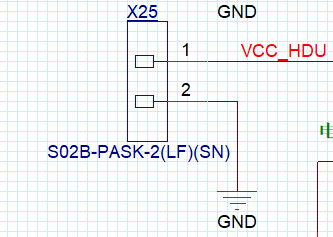
| PIN | Definition | |
|---|---|---|
| 1 | VCC | Positive power supply, 43.2–67.2 V |
| 2 | GND | Power ground |
1.2 Connector Specifications
MDU-side connector model: S02B-PASK-2(LF)(SN)
Required cable-side connector: PAP-02V-S housing + SPHD-001T-P0.5 terminal
The terminal specification can be found in the SDK hardware directory: C265094_线对板针座_S02B-PASK-2(LF)(SN)_规格书_WJ234796.PDF
2. Service Compartment Interfaces (Service Breakout Interfaces)
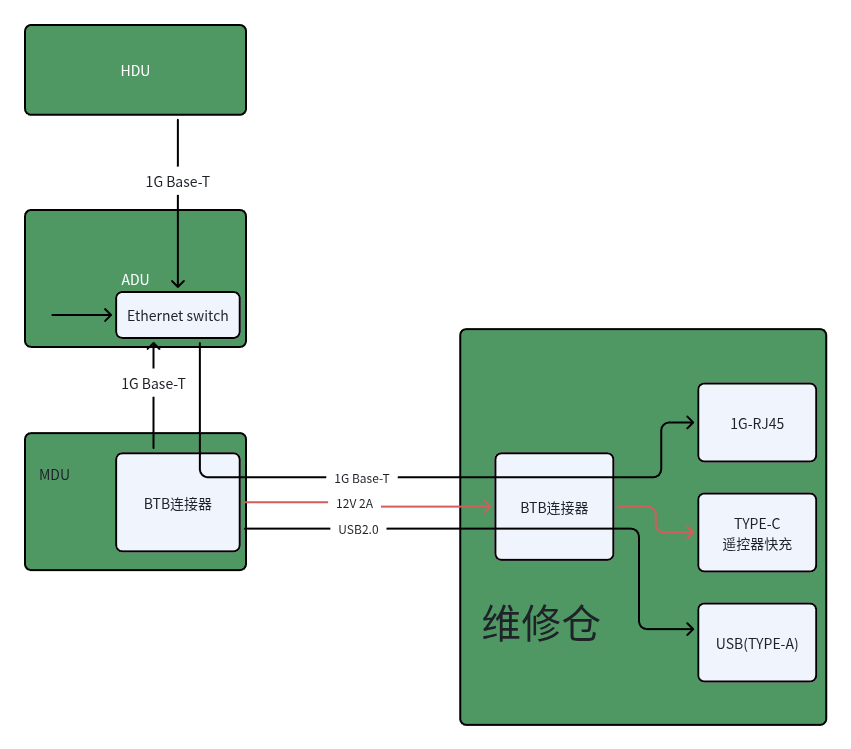
2.1 USB Type-A
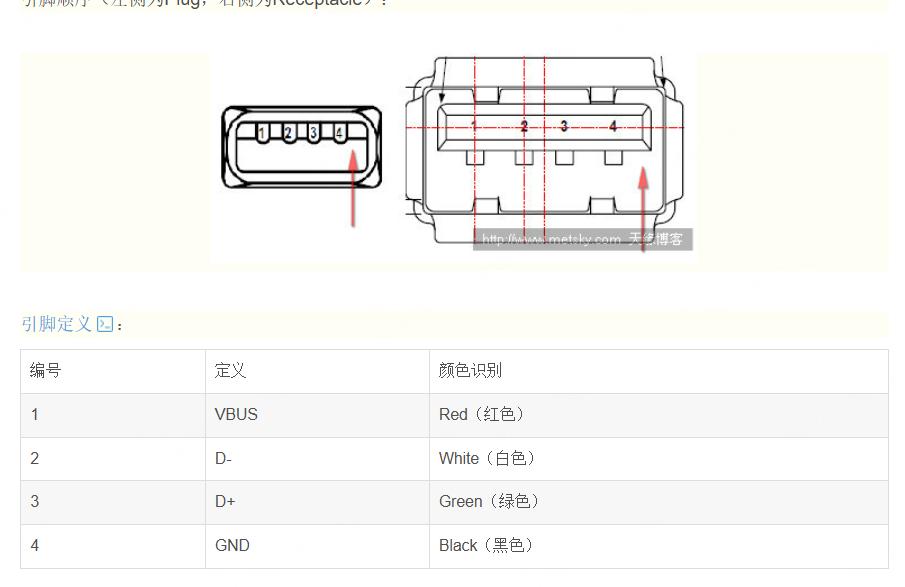
This is the debug serial port for the complete robot.
Port A: 1,500,000 baud, corresponding to the MDU debug serial port.
Port B: 115,200 baud, corresponding to the ADU debug serial port.
Note: These ports are for debugging only and are not standard USB ports.
2.2 RJ45
A standard 1000BASE-T Ethernet port that can connect to the ADU, MDU, and HDU through the built-in switch.
2.3 USB Type-C
This port is intended only as a standard charging port for the remote controller. Do not connect other peripherals.
PD fast charging is supported. If the power exceeds 20 W, the power supply is cut off immediately to protect the port.
Power-cycle the robot to restore the port.
3. Camera Interfaces (Inside the Chest Compartment)
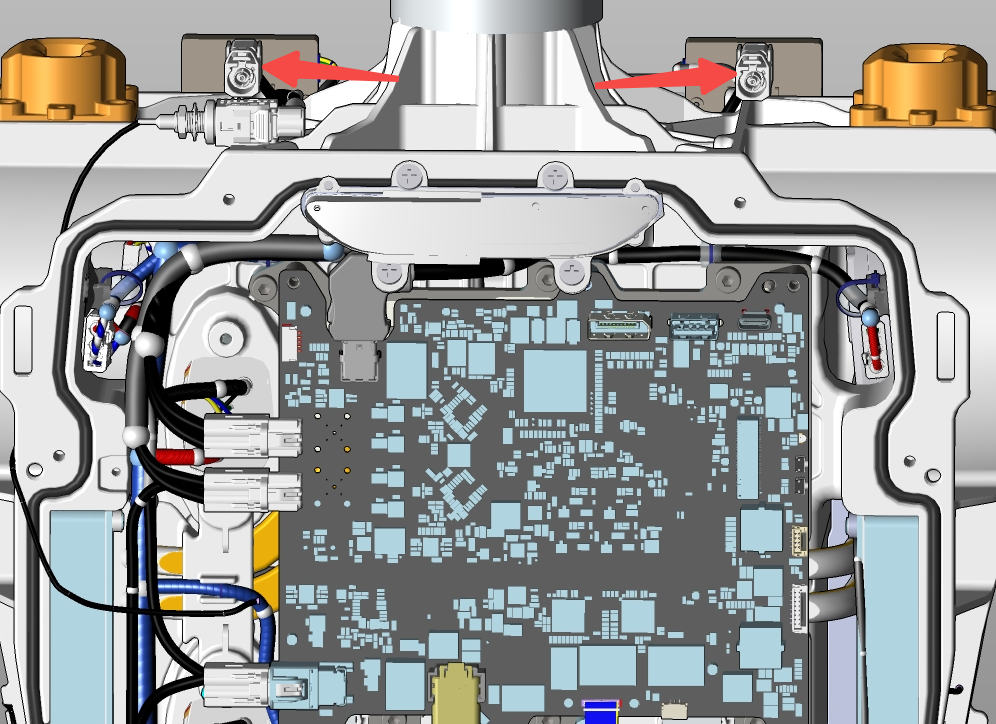
The A3 Ultra provides two external GMSL camera ports, as shown below.
3.1 Interface Definition
GMSL, with the same specifications as DACAR 302; double-shielded coaxial cable.
3.2 Connector Specifications
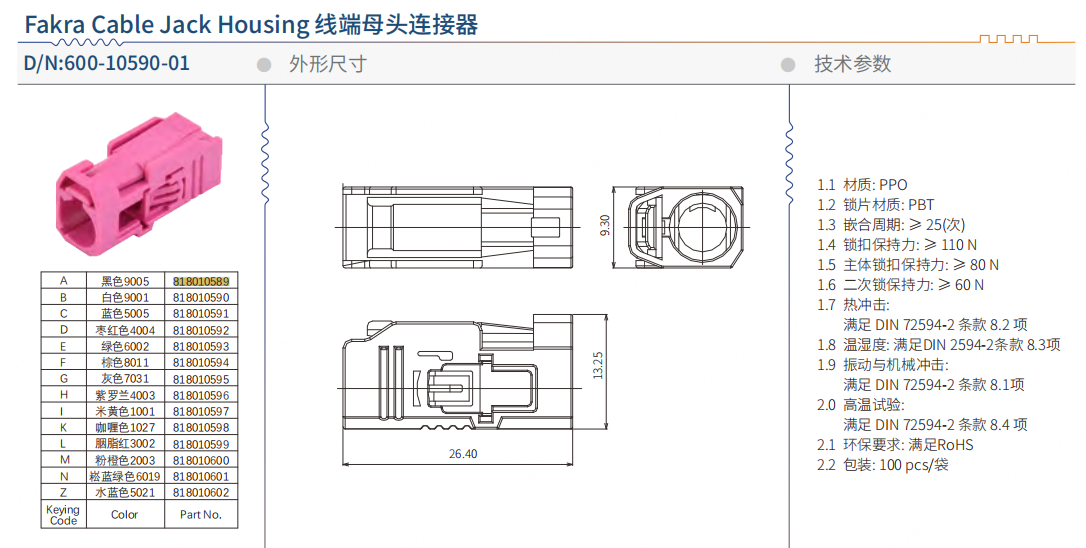
- Robot-side connector model: ECT 818010589, key A × 2, reserved at the robot's shoulder positions.
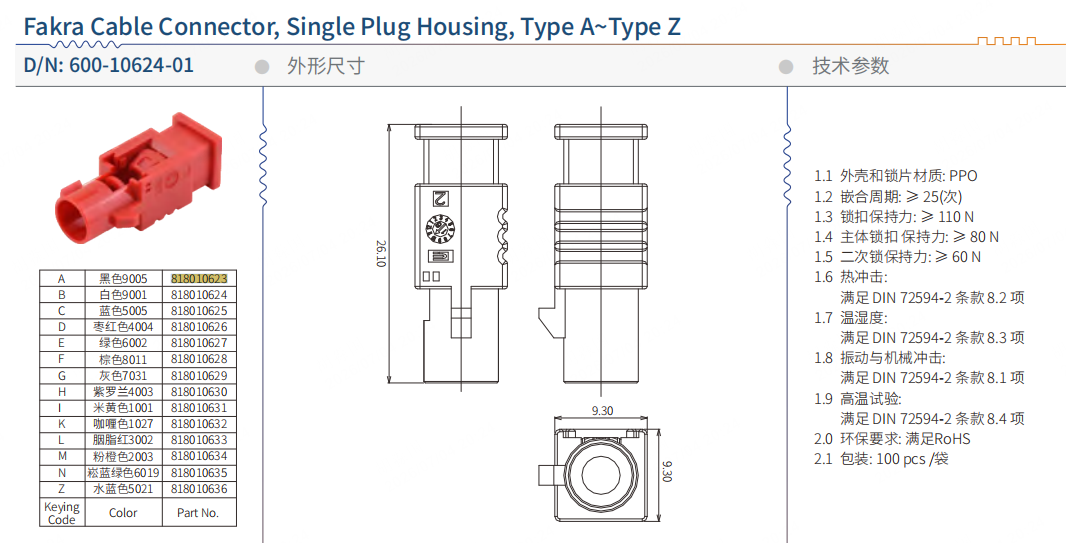
- Mating connector model: ECT 818010623, key A.
4. Network Interfaces
Secondary development requires an external three-port switch or equivalent built-in switching functionality. The three ports connect to the computing platform, HDU, and MDU respectively.
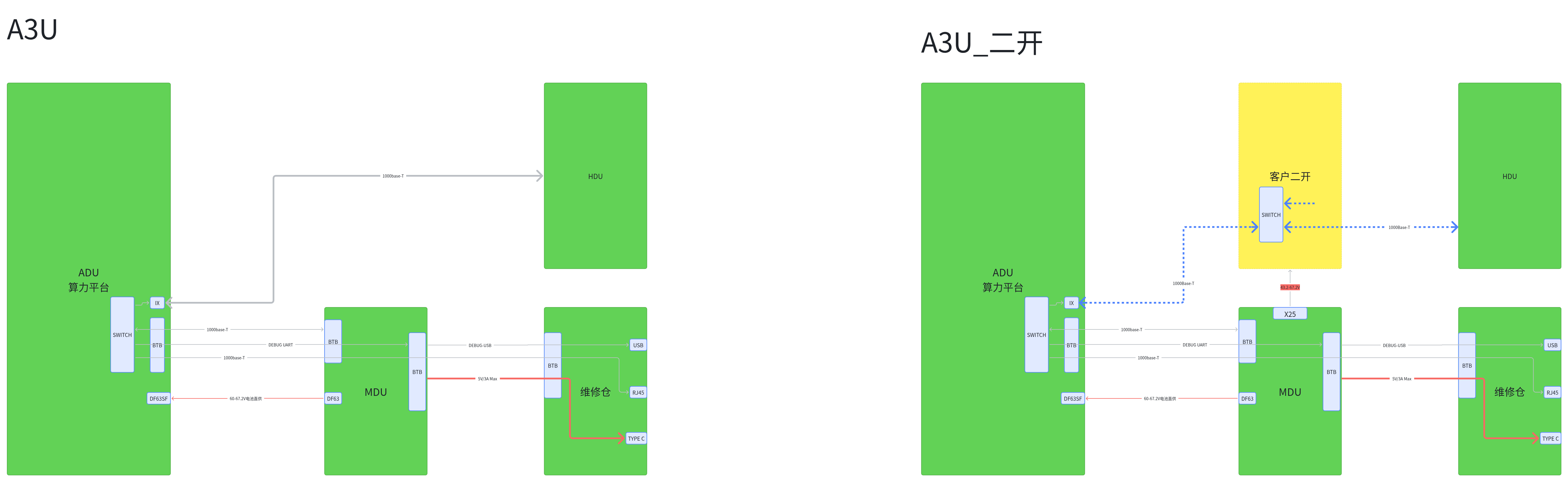
4.1 Current Robot Interface Definition
IX interface definition:
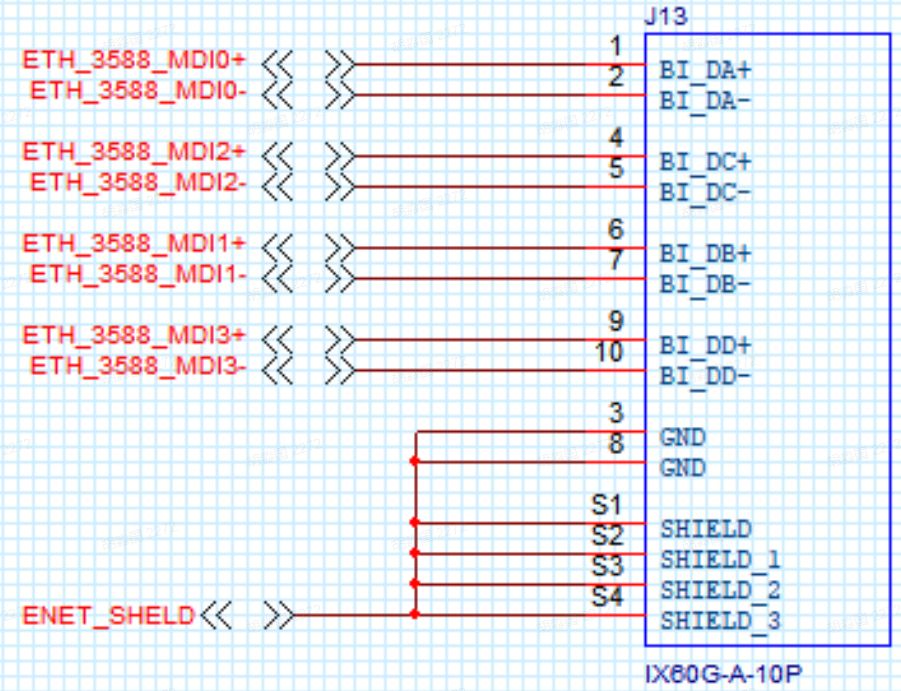
| PIN | Definition | |
|---|---|---|
| 1 | ETH_3588_MID0+ | |
| 2 | ETH_3588_MID0- | |
| 3 | GND | |
| 4 | ETH_3588_MID2+ | |
| 5 | ETH_3588_MID2- | |
| 6 | ETH_3588_MID1+ | |
| 7 | ETH_3588_MID1- | |
| 8 | GND | |
| 9 | ETH_3588_MID3+ | |
| 10 | ETH_3588_MID3- |
4.2 Connector Specifications
MDU-side connector model: IX60G-A-10P
Required cable-side connector: IX40G-A-10S-CV(7.0), or a connector with another angle. For details, see IX_Catalog_D144096_en.pdf in the SDK hardware directory.
5. Other Interfaces (Inside the Chest Compartment)
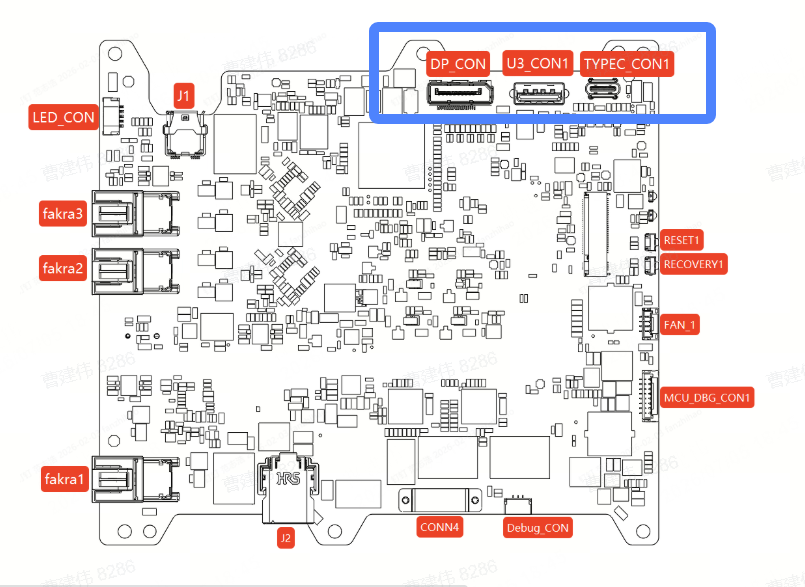
| Name | Function |
|---|---|
| U3_CON1 | Supports USB 3.2 Gen 2×1 |
| TYPEC-CON1 | Supports USB 3.2 Gen 2×1 |
| DP_CON | Standard DP display port |